



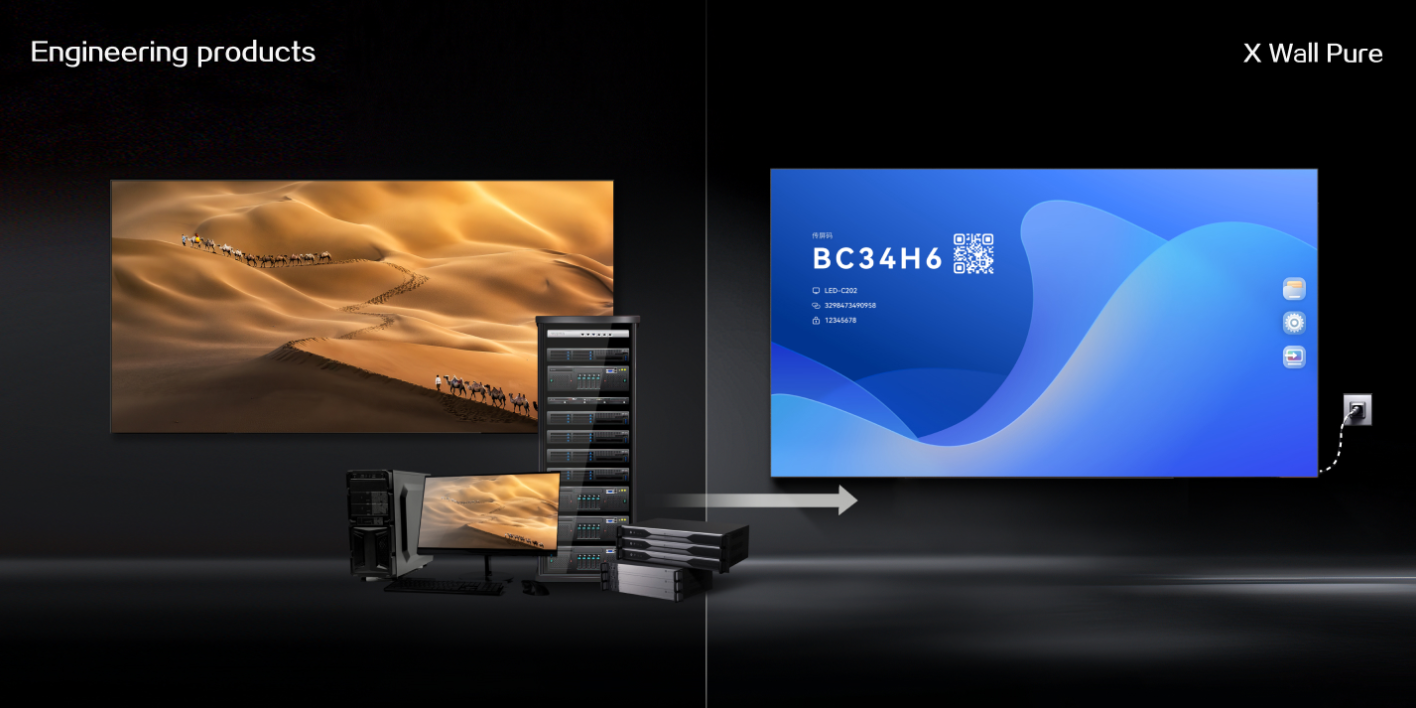
The evolution of the corporate boardroom has transformed the traditional screen into a high-performance smart LED display. Modern LED walls now function as integrated computers, requiring a robust operating system to manage video conferencing, wireless screen sharing, and interactive whiteboarding.
For IT directors and facility managers evaluating solutions from top LED video wall manufacturers, a critical question arises: should the system run on Android or Windows?
The Case for Android: Speed, Efficiency, and Ease of Use
Android has become a common operating system for All-in-One LED solutions because of its lightweight architecture and mobile-first design. In a smart LED display, Android supports an instant-on experience, allowing meetings to start quickly without long PC-style loading times.
Android also offers an intuitive touch interface that most employees already understand. Its efficient resource management helps deliver high-definition video playback and basic multitasking with lower power consumption and less heat generation than a full desktop environment.
The Case for Windows: Power, Security, and Legacy Integration
Windows remains the stronger choice for complex enterprise environments. A Windows-based smart LED display behaves like a large-format PC, which is important for organizations that rely on specialized legacy software, advanced CAD applications, Microsoft 365, or Active Directory integration.
For IT teams, Windows can be easier to secure and manage with existing enterprise tools. It supports full antivirus software, custom security protocols, familiar file management, and deeper network asset management.
Android vs. Windows: Decision Comparison
| Decision Factor | Android Smart LED Display | Windows Smart LED Display |
|---|---|---|
| Startup experience | Fast boot and simple touch interface | Longer startup but full PC environment |
| Application fit | Wireless sharing, video playback, whiteboarding, lightweight apps | Microsoft 365, Teams Rooms, CAD, legacy enterprise software |
| IT management | Appliance-like and easier to lock down | Fits existing Windows device management workflows |
| Security | Good for controlled guest-facing or huddle-room use | Better for VPNs, encrypted data channels, and enterprise policies |
| Best scenario | Quick meetings and low-maintenance collaboration | Complex internal workflows and Windows-only software |
For many organizations, the best choice is not Android or Windows alone, but a display architecture that supports both.
The Hybrid Solution: QSTECH X-Wall Pure
Leading LED video wall manufacturers recognize that the Android vs. Windows debate should not be an either-or decision. The QSTECH X-Wall Pure solves this challenge with a dual-system architecture that provides the best of both worlds.
Dual-OS Flexibility for Real Meeting Rooms
X-Wall Pure uses a built-in Android system for daily operations while supporting an optional OPS computer module for Windows 10/11. Teams can use Android for quick wireless presentation and switch to Windows for advanced applications, file-based workflows, or enterprise collaboration tools.
This architecture keeps the display future-ready as company software preferences change, while allowing users to switch workflows with minimal friction.
Security and Management Considerations
When deploying a smart LED display, security is a central concern. Android systems on QSTECH LED walls are often preferred for guest-facing areas or huddle rooms because the operating system can be locked down to prevent unauthorized software installation.
For executive suites or strategy rooms that involve sensitive information, Windows support enables corporate-grade VPNs, encrypted data channels, and existing IT governance. Supporting both systems allows each room to match its collaboration and security requirements.
Making the Choice for Your Conference Room
If your goal is a user-friendly, low-maintenance screen for quick huddle sessions and wireless casting, the native Android system of a smart LED display is often sufficient.
If your meetings involve complex Excel modeling, native Teams Rooms integration, or Windows-only software, an OPS Windows module becomes a practical investment. X-Wall Pure supports both scenarios without forcing a single operating system strategy.
About QSTECH
With more than 30 years of expertise and a parent company holding more than 9,000 patents, QSTECH leads the industry in All-in-One LED innovation. The X-Wall series combines premium flip-chip COB manufacturing with intelligent dual-OS processing for boardrooms, command centers, and collaboration spaces worldwide.
FAQ
Is Android enough for a smart LED display?
Android is enough for quick startup, wireless sharing, whiteboarding, and simple meeting workflows. It is a strong fit for huddle rooms and guest-facing collaboration areas.
When should a smart LED display use Windows?
Windows is useful when teams need full Microsoft 365 workflows, enterprise device management, VPN access, legacy software, or Windows-only professional applications.
Can QSTECH X-Wall Pure support both Android and Windows?
Yes. X-Wall Pure includes an Android system and supports an optional Windows OPS module, allowing organizations to switch between simple daily use and advanced enterprise workflows.
Ready to Modernize Your Collaboration Space?
QSTECH can help configure the right smart LED display system for your meeting room, boardroom, or command center.
Contact QSTECH to discuss your project requirements.


